
Monitor Indian Stock Market Events, Intelligently
AlertWala watches NSE and BSE corporate filings in real-time, uses AI to identify high-quality trading opportunities, checks if news is already priced in, and helps you track performance—all from your menu bar.
What It Monitors
Real-Time Data Sources
- NSE Announcements - All corporate filings on National Stock Exchange
- NSE Large Deals - Bulk deals and block deals (institutional money flows)
- BSE Announcements - All corporate filings on Bombay Stock Exchange
- BSE Bulk/Block Deals - BSE institutional trading activity via HTML scraping
- BSE SAST Filings - When promoters/institutions buy/sell >1% stake (Regulation 29)
Alert Types Detected
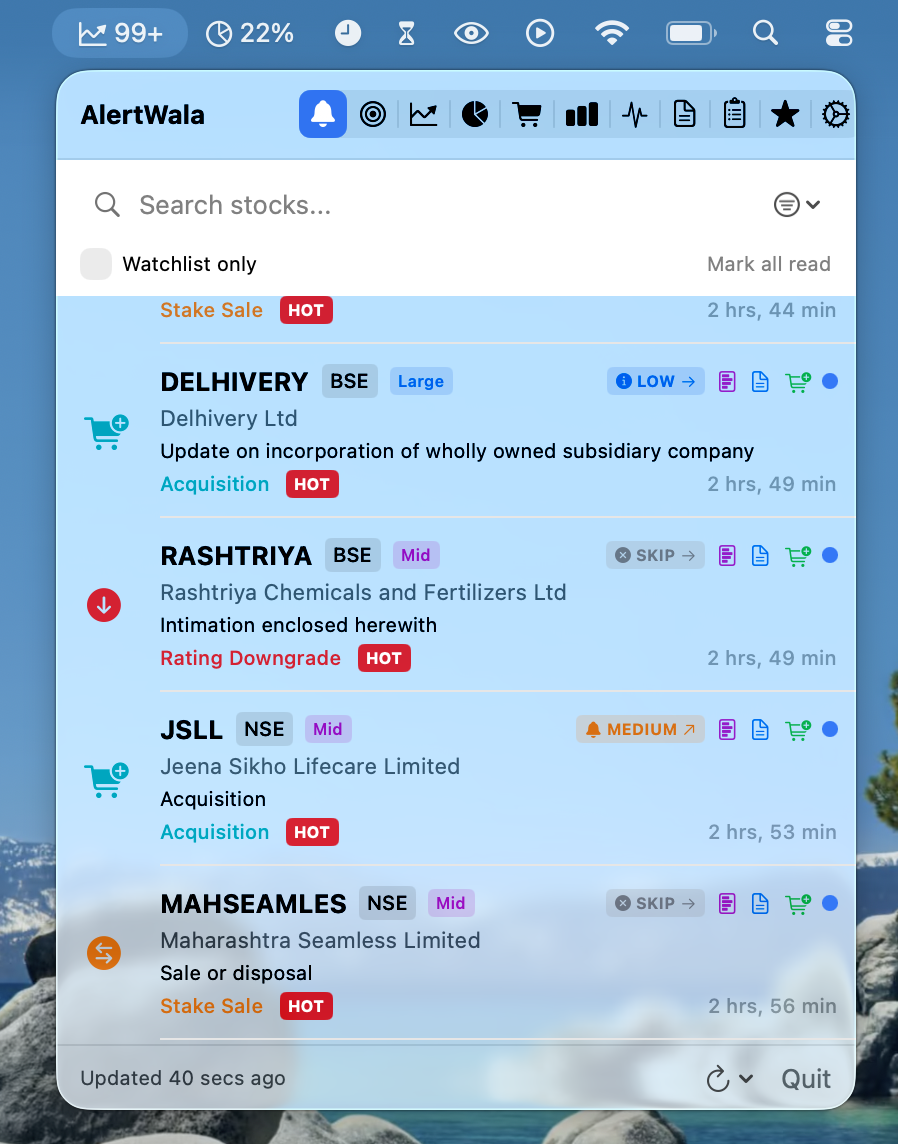
AlertWala automatically classifies corporate announcements into actionable categories:
Shareholder Returns
- Buyback - Company repurchasing own shares (bullish signal)
- Special Dividend - Extra cash payout to shareholders
- Bonus Issue - Free shares to existing shareholders
Insider Activity
- Promoter Buying - Company insiders accumulating shares
- Promoter Selling - Insider stake reduction (potential red flag)
- Bulk/Block Deals - Large institutional transactions
- Stake Sale - Disinvestment or strategic exits
Corporate Actions
- Merger - Company mergers and amalgamations
- Acquisition - Strategic acquisitions and investments
- Demerger - Corporate restructuring and spin-offs
Business Events
- Large Order Win - Major contract announcements
- Credit Rating Upgrade - Improved creditworthiness
- Credit Rating Downgrade - Deteriorating financial health
- Results Preview - Quarterly business updates
Capital Raising
- QIP - Qualified Institutional Placement
- Preferential Allotment - Strategic investor allocation
- Rights Issue - Offering to existing shareholders
- FPO - Follow-on Public Offer (dilutive)
Features
AI-Powered Analysis
Multiple AI provider options for intelligent alert classification:
- Claude Code CLI (default) - Uses local Claude Code installation
- Apple Intelligence - On-device LLM with Foundation Models API (macOS 26+)
- Claude API - Cloud-based Anthropic API
- OpenAI API - GPT-4 classification
Priority Classification:
- STRONG - High conviction opportunity worth immediate attention
- MODERATE - Worth monitoring, potential setup
- LOW - Minor news with limited trading impact
- SKIP - Noise, routine filings, already priced in
Deep Analysis with Web Search: Uses web search to check if news is already public knowledge and priced into the stock.
Leak Detection System
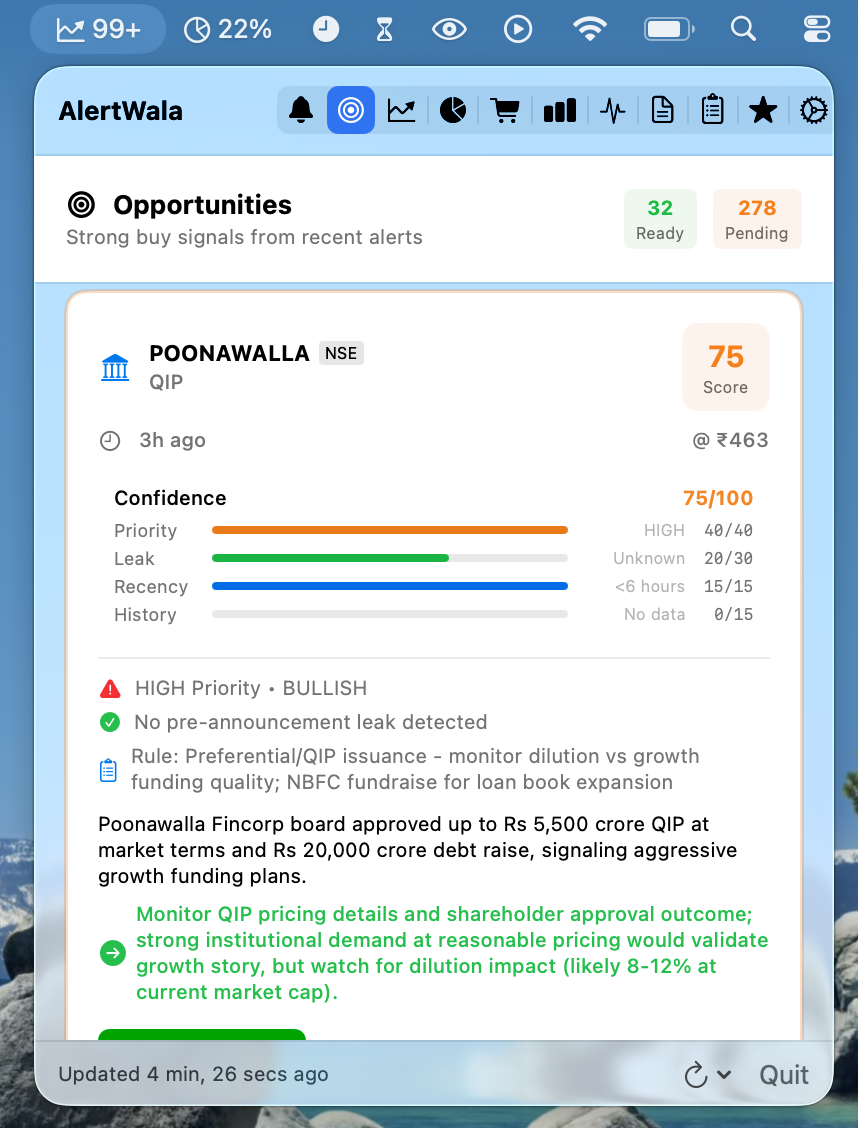
Analyzes pre-announcement price movement to identify leaked information:
- FRESH - No suspicious pre-move, safe to trade
- POSSIBLE LEAK - Some pre-move detected, reduce position size
- LIKELY LEAKED - Significant pre-move, wait for pullback
- FULLY PRICED IN - Already moved substantially, skip the setup
Custom Watchlist
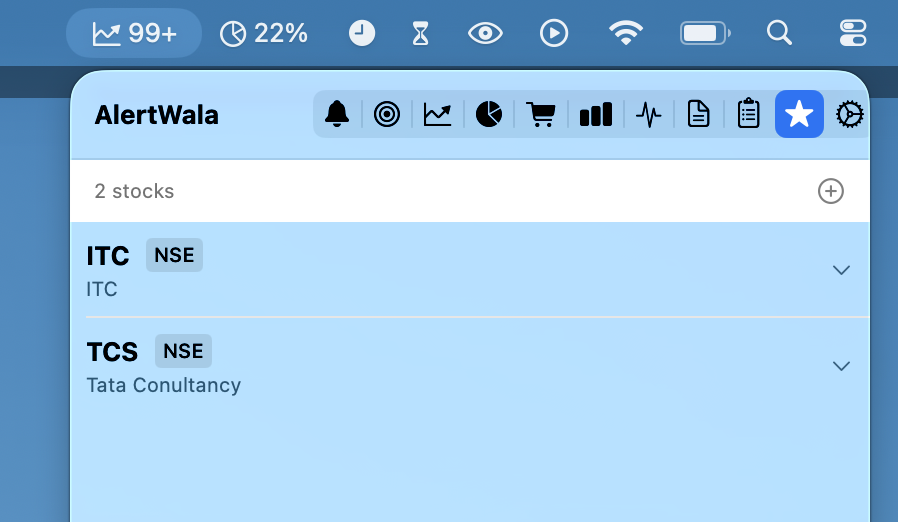
Filter alerts for specific stocks you’re tracking:
- Add NSE/BSE stocks with symbol and scrip code
- Enable/disable alert types per stock (buyback, bulk deals, promoter activity, etc.)
- Receive notifications only for your watchlist stocks
- Quickly expand to see enabled alert types
Paper Trading
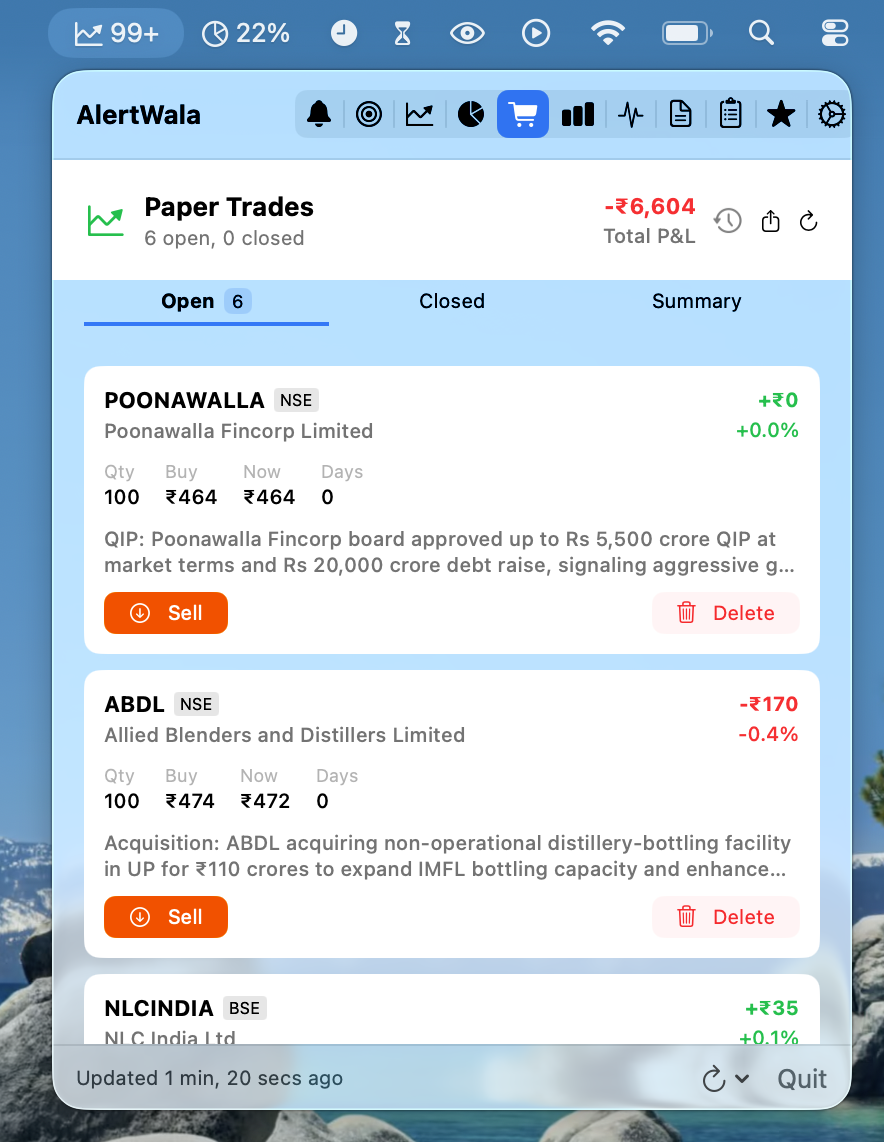
Practice without risk and track your strategy performance:
- One-Click Buy - Instantly create paper trade from any alert
- Live P&L Tracking - Real-time profit/loss calculations
- Position Management - Monitor open positions with current prices
- Trade History - Review past trades with entry/exit details
- Automatic Backups - Every trade operation backed up (keeps last 10)
- Restore from Backup - Recover trades if data is lost
Backtest & Analytics
Analyze historical alert performance to discover winning patterns:
- Backtest Performance - Analyze 1-60 day returns for past alerts
- Winning Patterns - Discover which alert types perform best
- Market Cap Analysis - See which company sizes have highest win rates
- Priority Accuracy - Track how well AI priority predictions perform
- Rule Effectiveness - Measure impact of filtering rules
- Filter by Type - Focus on specific alert categories
- Time Range Analysis - View performance across different periods
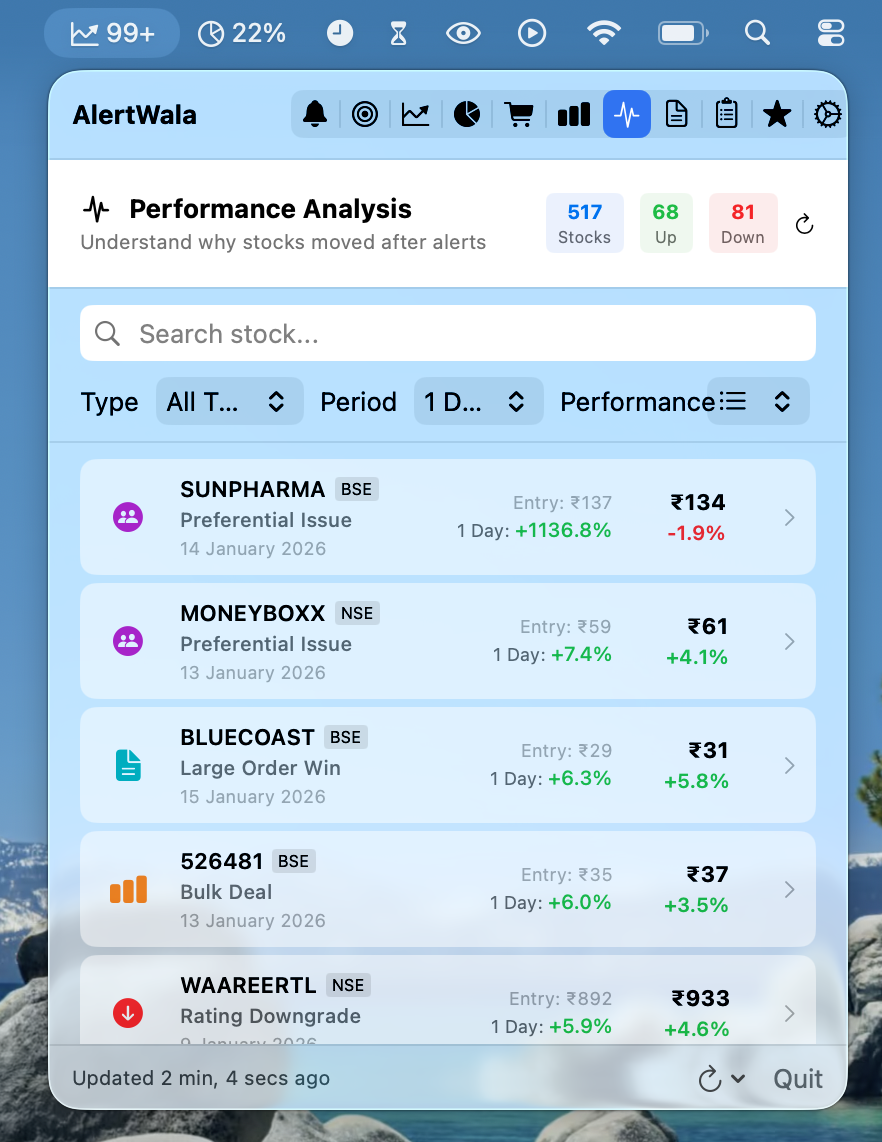
Performance Analysis
Review trades with complete market context:
- Stock Return - Individual stock performance tracking
- Nifty 50 Comparison - Benchmark against market index
- Sector Index - Compare against relevant sector performance
- Alpha Calculation - Stock-specific return vs market movement
- News Context - Web search for relevant news during hold period
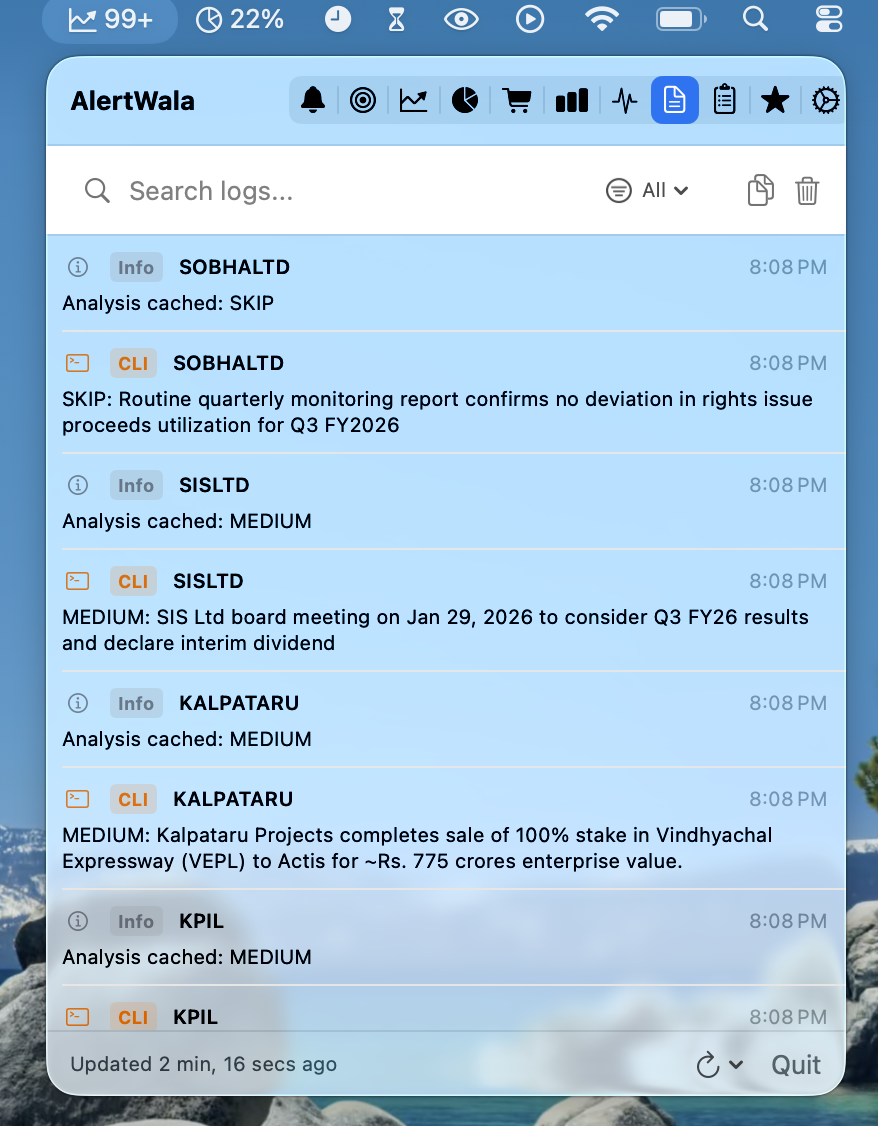
Analysis Logs
Real-time visibility into AI operations:
- See which AI provider analyzed each alert
- Track priority assignments (STRONG/MODERATE/LOW/SKIP)
- Monitor errors and fallback scenarios
- Filter by provider (Claude Code CLI, Claude API, OpenAI, Foundation Model)
- Search logs by stock symbol or message
- Export and copy logs for debugging
- Persistent logs - Survive app relaunches (keeps 1000 logs for 7 days)
- Automatic pruning of old logs
App Experience
Menu Bar Quick View
Opportunities Dashboard
Watchlist Management
Paper Trading
Analytics Dashboard
Analysis Logs
Perfect For
Active Traders Monitor corporate events across NSE/BSE and identify opportunities before they’re widely known.
Event-Driven Investors Track buybacks, M&A activity, promoter buying, and other corporate actions that drive stock movements.
Algorithm Developers Use paper trading and backtesting to validate trading strategies based on corporate announcements.
Research Analysts Aggregate and analyze corporate filings with AI-powered classification and leak detection.
The Philosophy
THE GOAL IS NOT TO FIND EVERY OPPORTUNITY. THE GOAL IS TO AVOID TRAPS AND FIND QUALITY SETUPS.
Better to SKIP 10 potential opportunities than to fall for 1 pump-and-dump scheme.
When in doubt: SKIP.
Data Privacy
All analysis and trading data stays on your Mac.
- Local Storage - Paper trades, watchlist, and analysis logs stored locally
- No Cloud Sync - No data sent to external servers (except AI API calls)
- API Keys Secured - Optional credentials stored in macOS Keychain
- No Telemetry - No usage tracking or analytics
- Full Control - Export your data anytime via CSV
Technical Details
Requirements
- macOS 26.0 (Tahoe) or later
- Apple Silicon recommended for Apple Intelligence support
- Claude Code CLI (optional) - For default AI provider
- API Keys (optional) - For Claude API or OpenAI
Data Sources
- NSE India API - Corporate announcements and bulk deals
- BSE India API - Corporate announcements
- BSE India HTML Scraping - Bulk/block deals and SAST filings
- Yahoo Finance - Historical price data for leak detection
Backup & Logs Location
Paper Trade Backups:
~/Library/Containers/rshankar.com.AlertWala/Data/Library/Application Support/AlertWala/Backups/
- Keeps last 10 automatic backups
- Backup created after every trade operation (create, close, delete)
Analysis Logs:
~/Library/Containers/rshankar.com.AlertWala/Data/Library/Application Support/AlertWala/Logs/
- Keeps up to 1000 logs
- Auto-prunes logs older than 7 days
- Saved after every analysis operation
AI Provider Configuration
Claude Code CLI (Default):
- Install Claude Code CLI from claude.ai/code
- AlertWala automatically detects and uses it
- No API key required
Apple Intelligence (macOS 26+):
- Enable in Settings → AI Provider
- Requires Apple Silicon Mac
- On-device processing, no API costs
Claude API:
- Get API key from console.anthropic.com
- Add key in Settings → AI Provider
- Uses claude-3-5-sonnet-latest model
OpenAI API:
- Get API key from platform.openai.com
- Add key in Settings → AI Provider
- Uses gpt-4 model
Support
Internal Use Application - Built for portfolio demonstration and personal trading research.
For questions or feedback: ravi@rshankar.com
Monitor smarter. Trade better. Avoid traps.