
Know Where Your Time Really Goes
Ever wonder where your workday went? Honest Hours automatically tracks your computer activities and helps you stay focused by blocking distracting apps—all while keeping your data 100% private on your Mac.
Why You Need This
The Problem
- You finish work feeling busy but unsure what you actually accomplished
- Social media and news sites steal your focus without you realizing
- Traditional time tracking requires manual input nobody maintains
- Most productivity apps send your data to the cloud
The Solution
Honest Hours runs quietly in your menu bar, automatically tracking where your time goes. When you need to focus, it blocks distracting apps and websites. All data stays on your Mac—no accounts, no cloud, no tracking.
Features
Automatic Time Tracking
- Monitors active apps and websites every 5 seconds
- Tracks Safari, Chrome, and Brave browser tabs
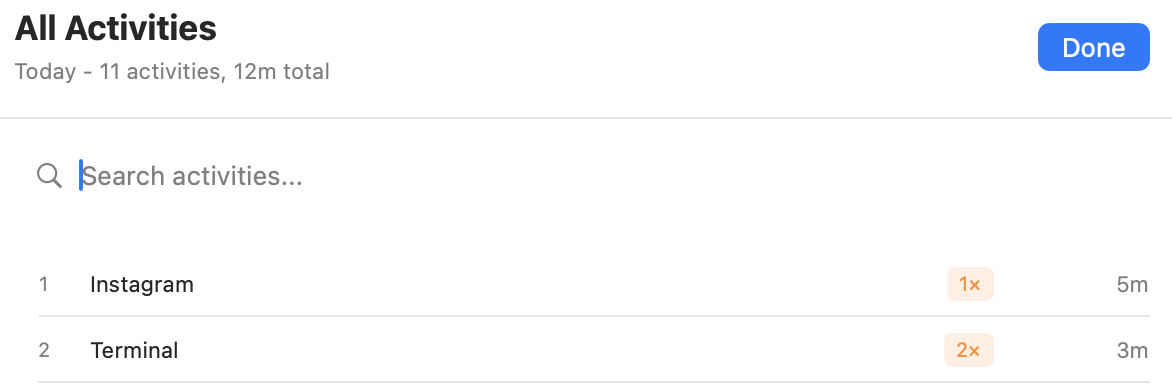
- Shows visit frequency (how many times you switched to each app/site)
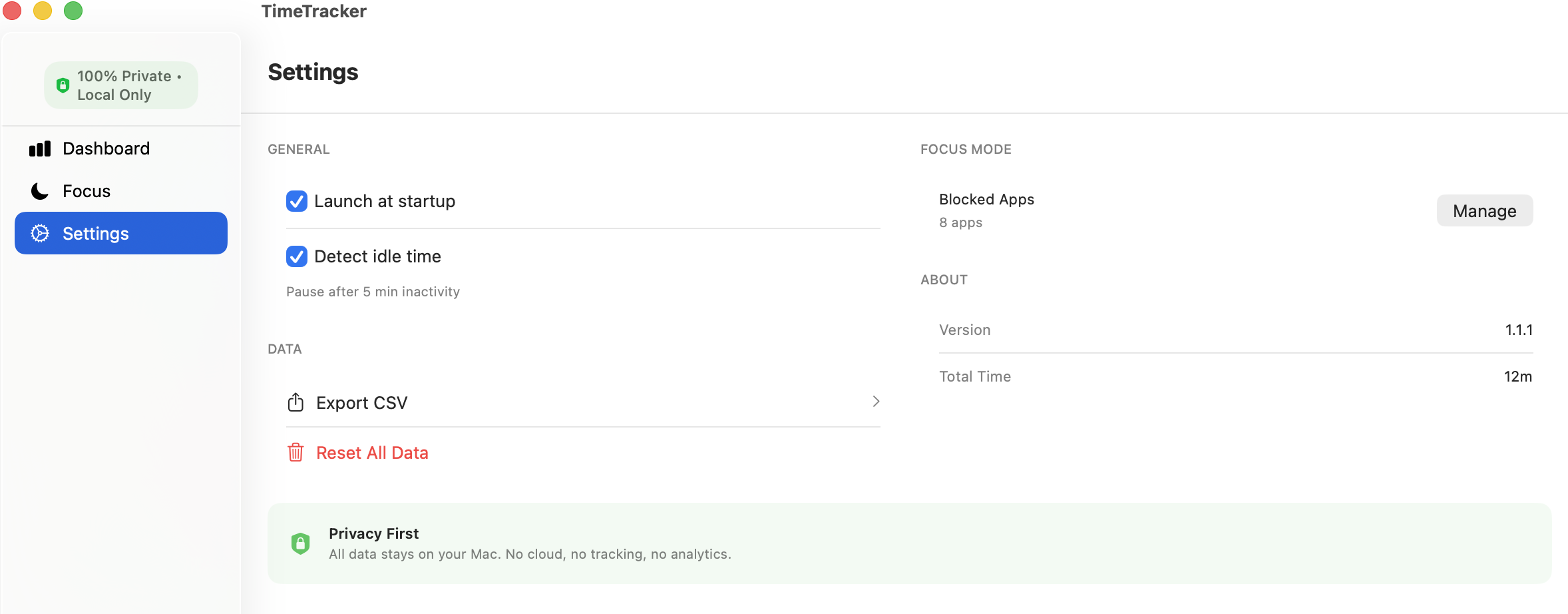
- Idle detection pauses tracking after 5 minutes of inactivity
- No manual input required—just work naturally
Focus Mode with App Blocking
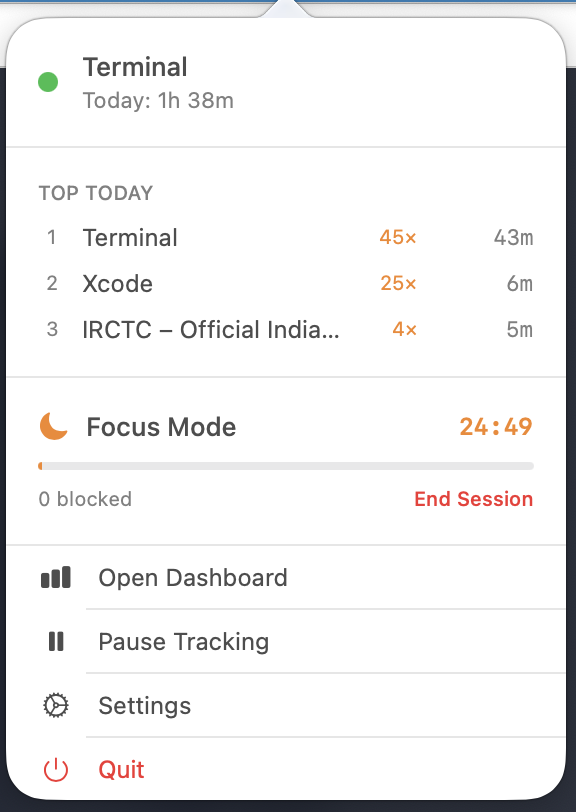
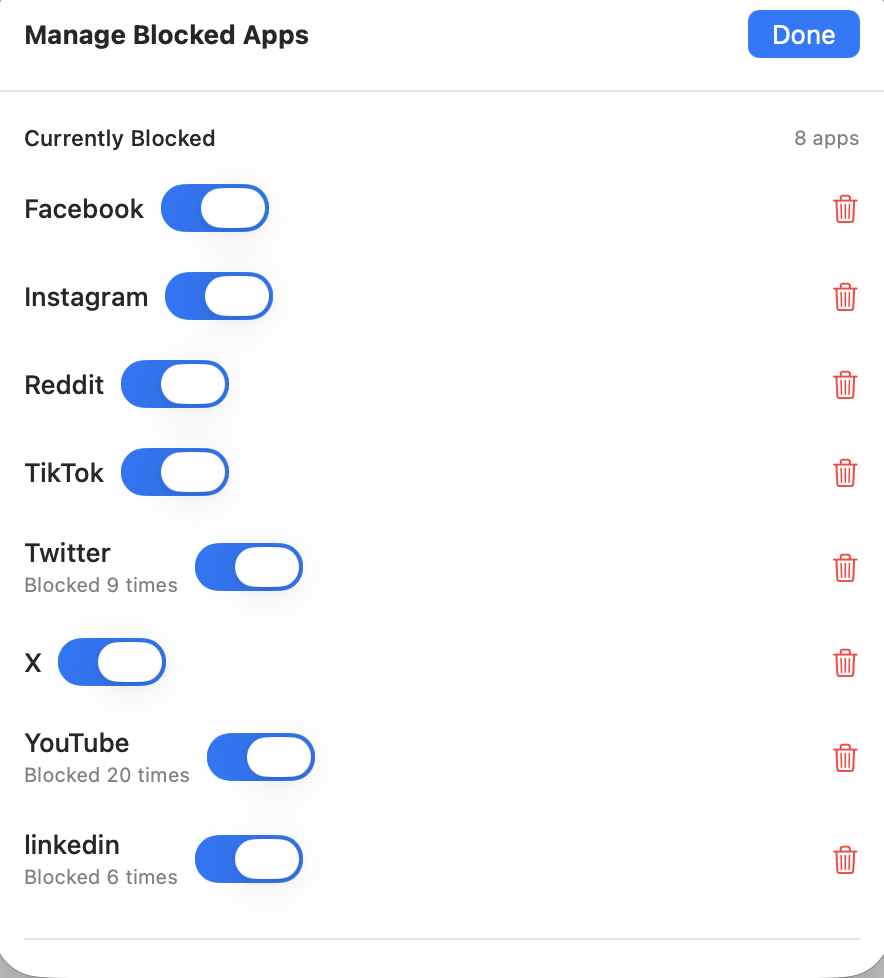
- Block distracting apps and websites during focus sessions
- Quick-start 25 or 60 minute sessions (Pomodoro-friendly)
- Automatic switch-away when you try to open blocked apps
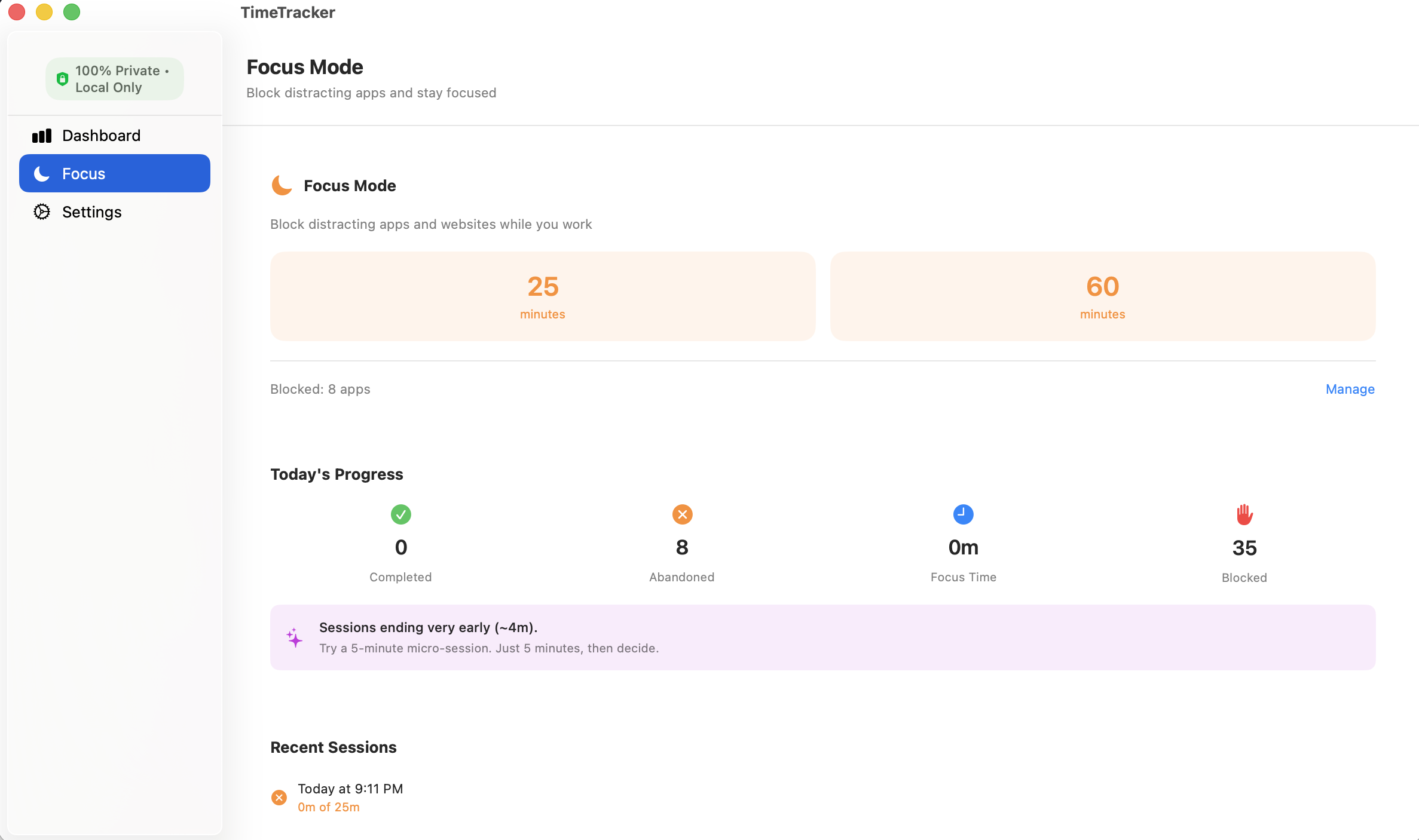
- Track block attempts and abandoned sessions
- Smart insights based on your focus patterns
Dashboard & Insights
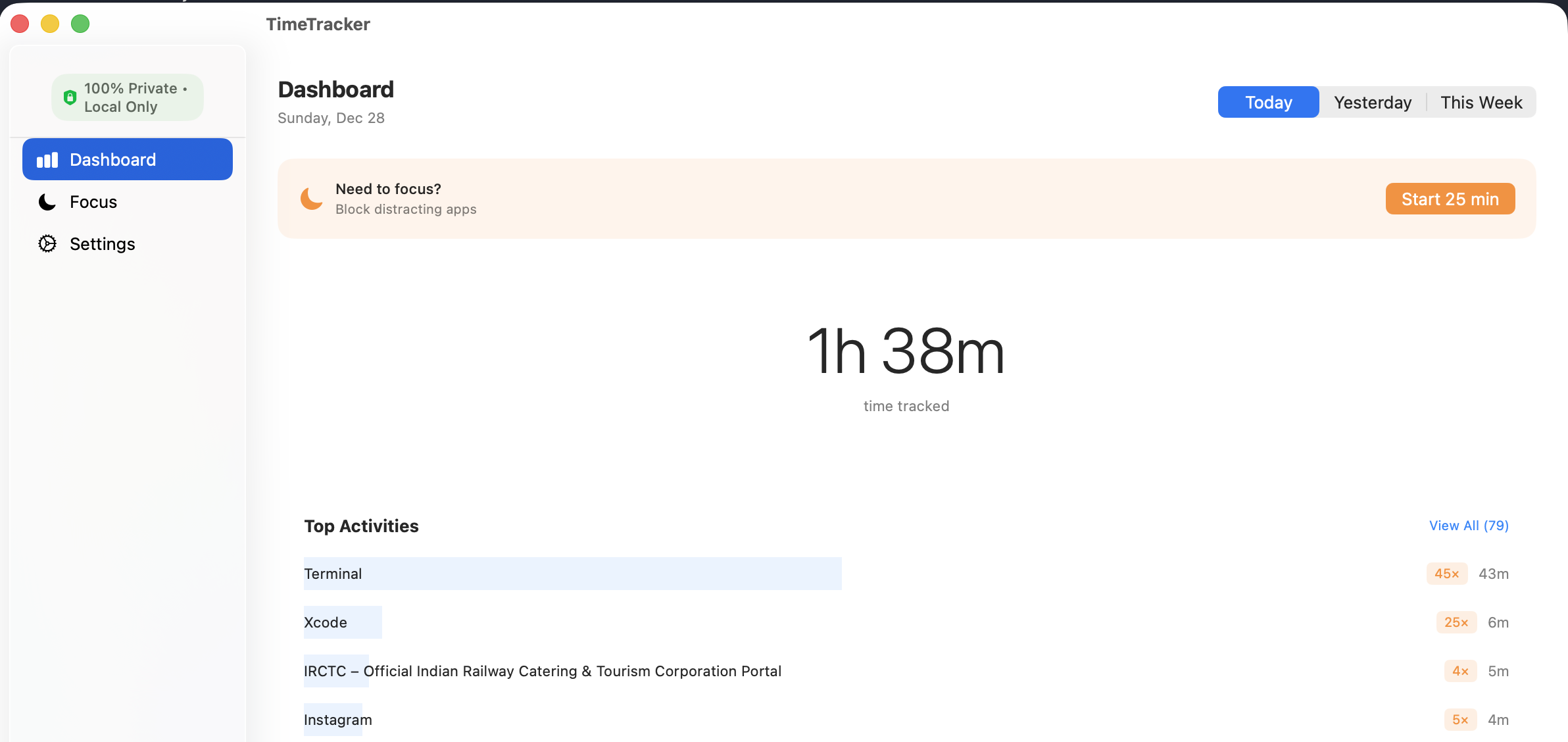
- Today’s total time tracked at a glance
- Top activities with visit counts and duration
- Date range picker: Today, Yesterday, This Week
- “View All” with search for complete activity list
- Understand your patterns to work smarter
Menu Bar Quick Access
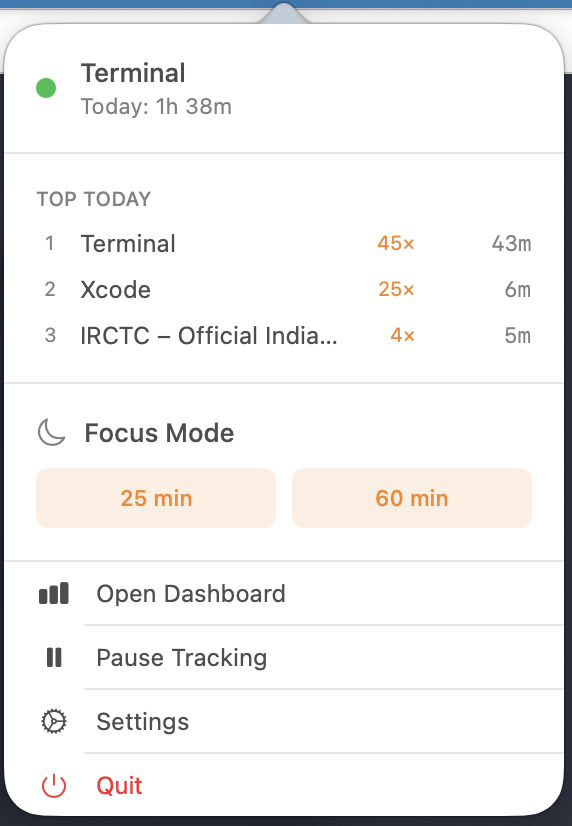
- See your current activity and time tracked
- Top 3 activities always visible
- Start focus sessions with one click
- Pause tracking when needed
- Minimal footprint—never clutters your workspace
Smart Focus Insights
- Track completed vs abandoned sessions
- See how many distractions were blocked
- Get personalized suggestions based on your patterns
- Recent sessions show actual vs planned duration
- Learn what works for your focus style
App Experience
Dashboard
Menu Bar
Focus Mode
Active Focus Session
Manage Blocked Apps
All Activities
Settings
Perfect For
Freelancers & Consultants Know exactly how long projects take. Export data for accurate client billing.
Remote Workers Stay accountable without invasive monitoring software. Block distractions during deep work.
Developers & Designers Track time across tools without interrupting your flow. Understand your productive patterns.
Students Block social media during study sessions. See how you actually spend your time.
Anyone Who Wants to Focus If you’ve ever lost an hour to Twitter without realizing it, Honest Hours is for you.
What Gets Tracked
Tracked:
- Active application name
- Browser tab titles and URLs (Safari, Chrome, Brave)
- Time spent per app/page
- Visit frequency (context switches)
NOT Tracked:
- Keyboard input
- Screenshots
- File contents
- Network traffic
- Anything sent to external servers
100% Private by Design
- All Local: Data stored on your Mac using CoreData
- No Cloud: Zero network calls or external servers
- No Analytics: No telemetry or usage tracking
- No Account: Start immediately, no sign-up required
- Your Data: Export anytime, delete everything with one click
Technical Excellence
- Built with SwiftUI for a native macOS experience
- MVVM architecture for reliability
- CoreData for efficient local storage
- NSWorkspace + AppleScript for accurate tracking
- Optimized for macOS 12.4+ (Monterey and later)
- Universal binary (Intel and Apple Silicon)
Download
Distributed directly—no App Store restrictions. Download, drag to Applications, and start understanding your time.
Why Direct Distribution?
Honest Hours uses system APIs for accurate tracking and app blocking that aren’t available in sandboxed App Store apps. Direct distribution means full functionality without compromises.
Support
Have questions or feedback? I’d love to hear from you.
Let’s connect: ravi@rshankar.com
Legal
Track honestly. Focus deeply. All on your Mac.