
How to set preferred Wifi network on Mac
This tutorial provides the steps for making a specified WiFi network as a preferred network on Mac. This is quite useful when you have multiple Wi-Fi networks at your work place or home and you want to set a preferred order.
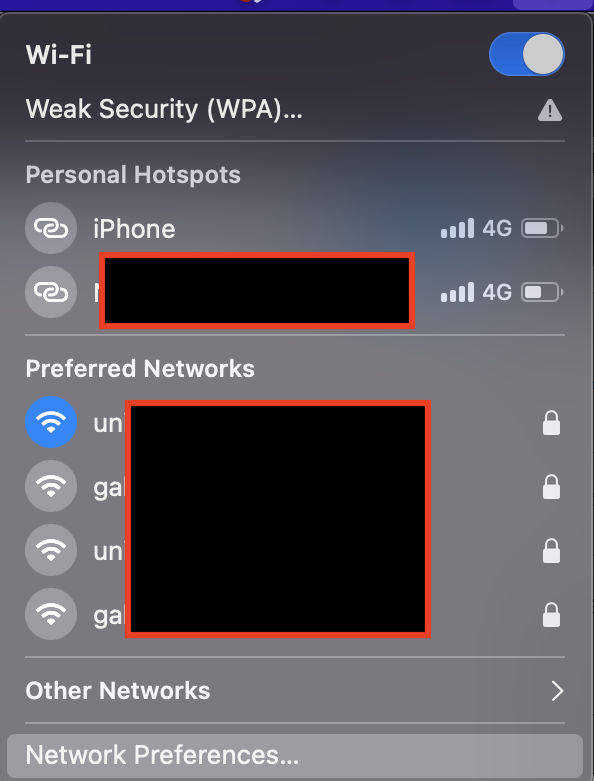
- Click the WiFi option on the Menu bar and select Network Preferences from the menu list. You can also access the Network Preferences via System Preferences.
- In the Network Preferences, click the Advanced option available at the bottom of the screen.
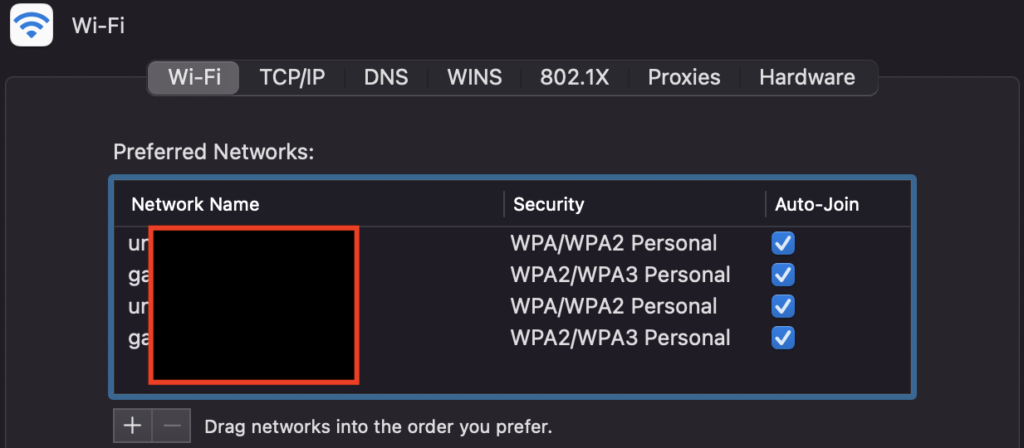
Now you can set preferred order by dragging and dropping the network.
Need iOS Help?
I help developers with:
- Bug fixes & debugging
- App Store rejections
- Code review & mentoring
- Claude Code training for iOS
10+ years iOS • 10+ published apps • 11,000+ students trained