
Track Your Claude Code Spending, Effortlessly
Never wonder about your API costs again. Claudit runs quietly in your menu bar, automatically tracking your Claude Code usage and calculating costs in real-time—all while keeping your data 100% private on your Mac.


Why You Need This
The Problem
- You use Claude Code frequently but don’t track your actual costs
- API pricing is per-token, making it hard to estimate monthly spending
- No built-in way to see usage patterns across projects
- Need to manually check Anthropic dashboards or calculate costs yourself
- Can’t identify which projects are costing the most
The Solution
Claudit monitors your Claude Code activity, tracks tokens used, and calculates costs automatically. See your spending at a glance from the menu bar, understand which projects cost most, and optimize your usage—all without leaving your editor.
Features
Real-Time Cost Tracking
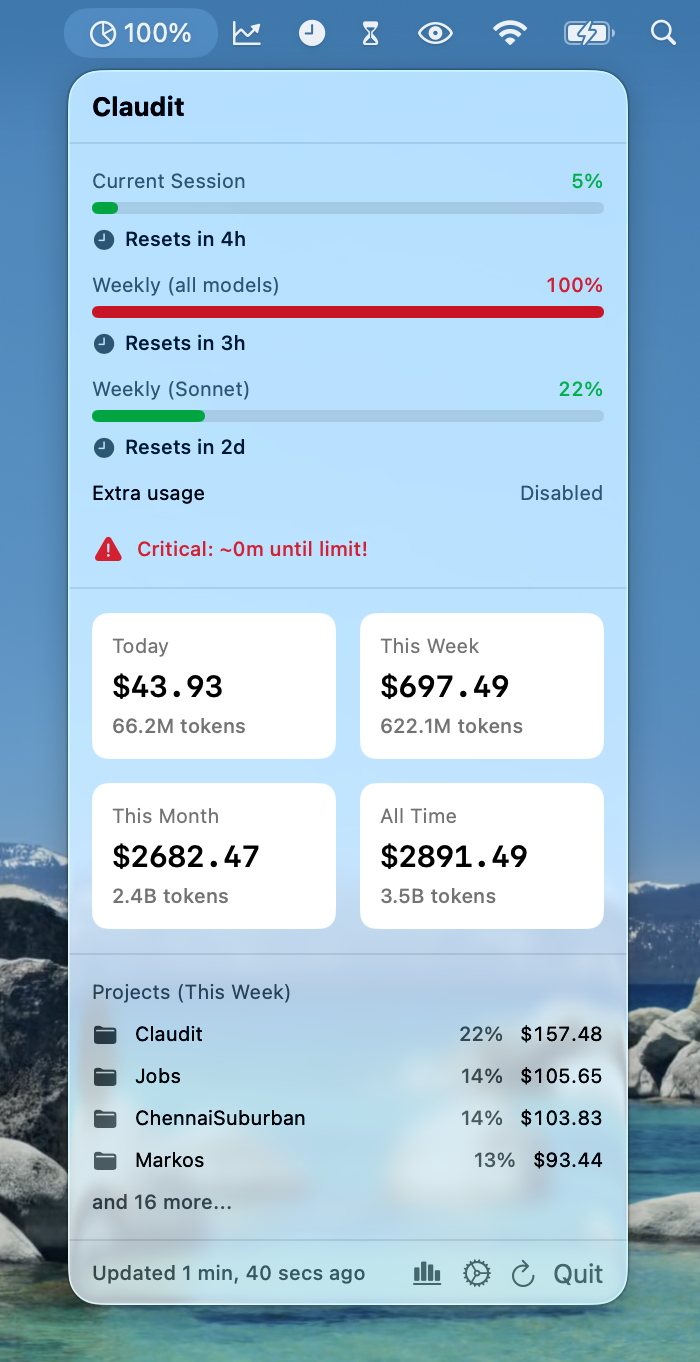
- See your costs for Today, This Week, This Month, and All Time
- Token counts displayed alongside costs (in easy K/M/B format)
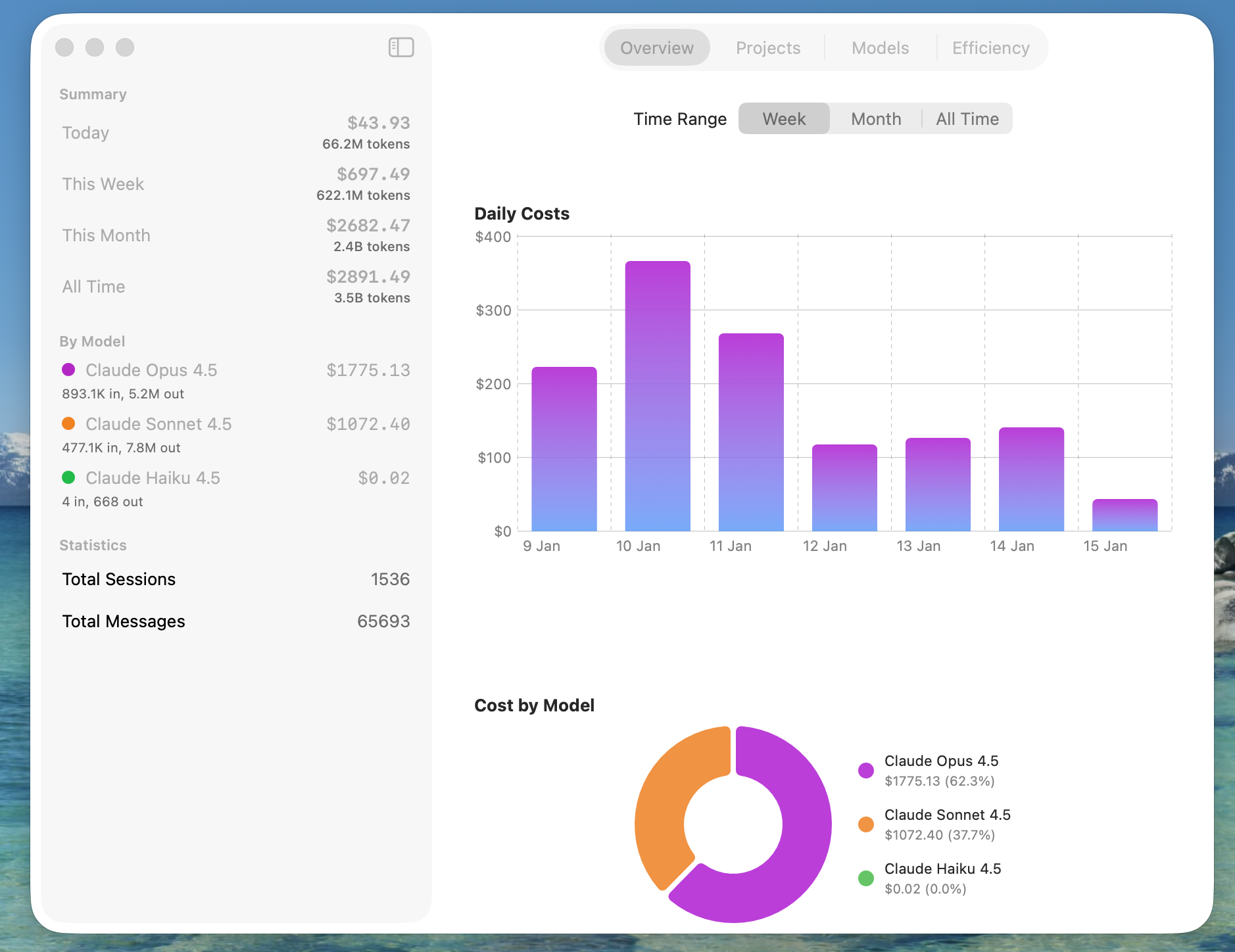
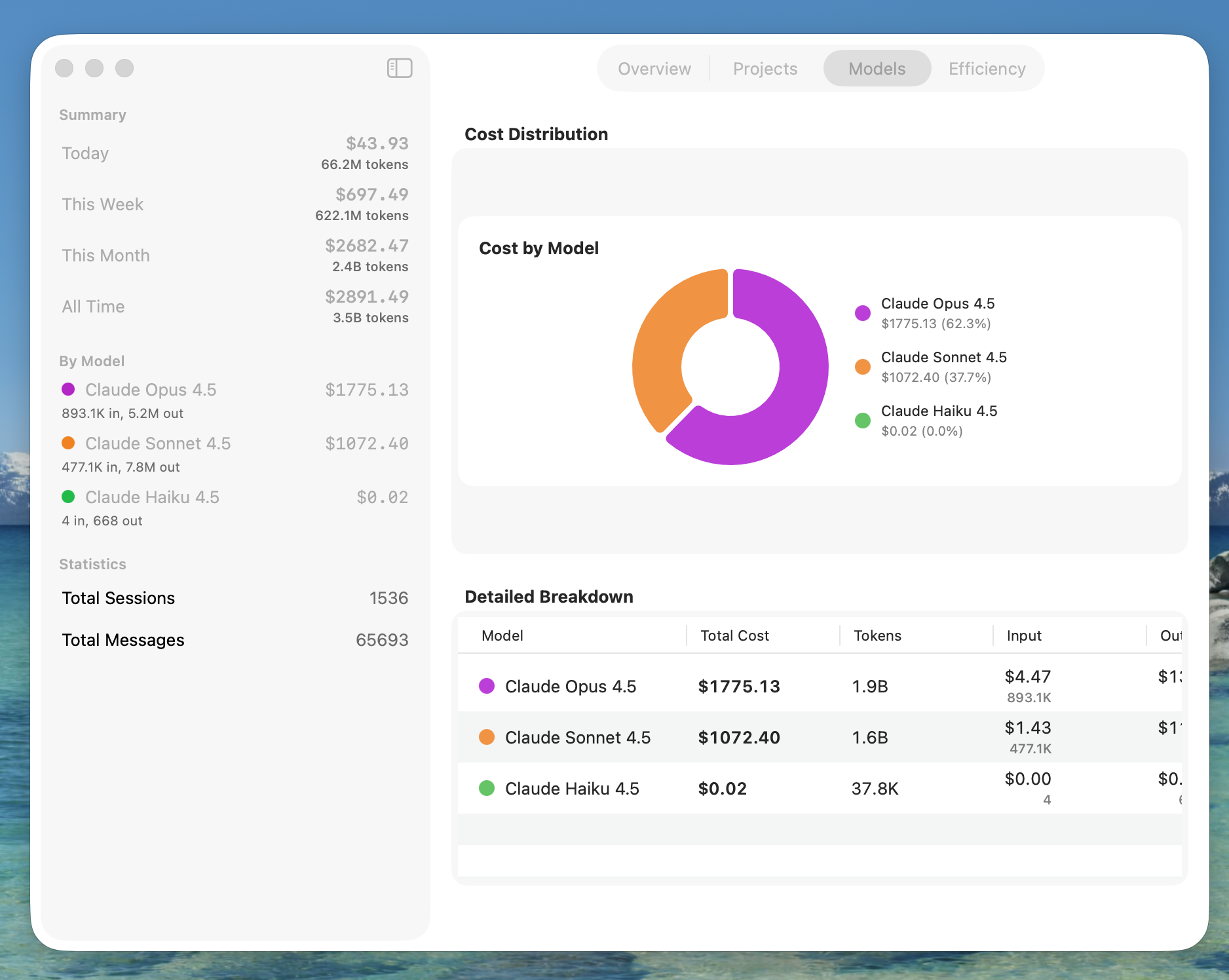
- Breakdown by model (Opus, Sonnet, Haiku)
- Beautiful cost cards always visible in your menu bar
Know Which Projects Cost Most
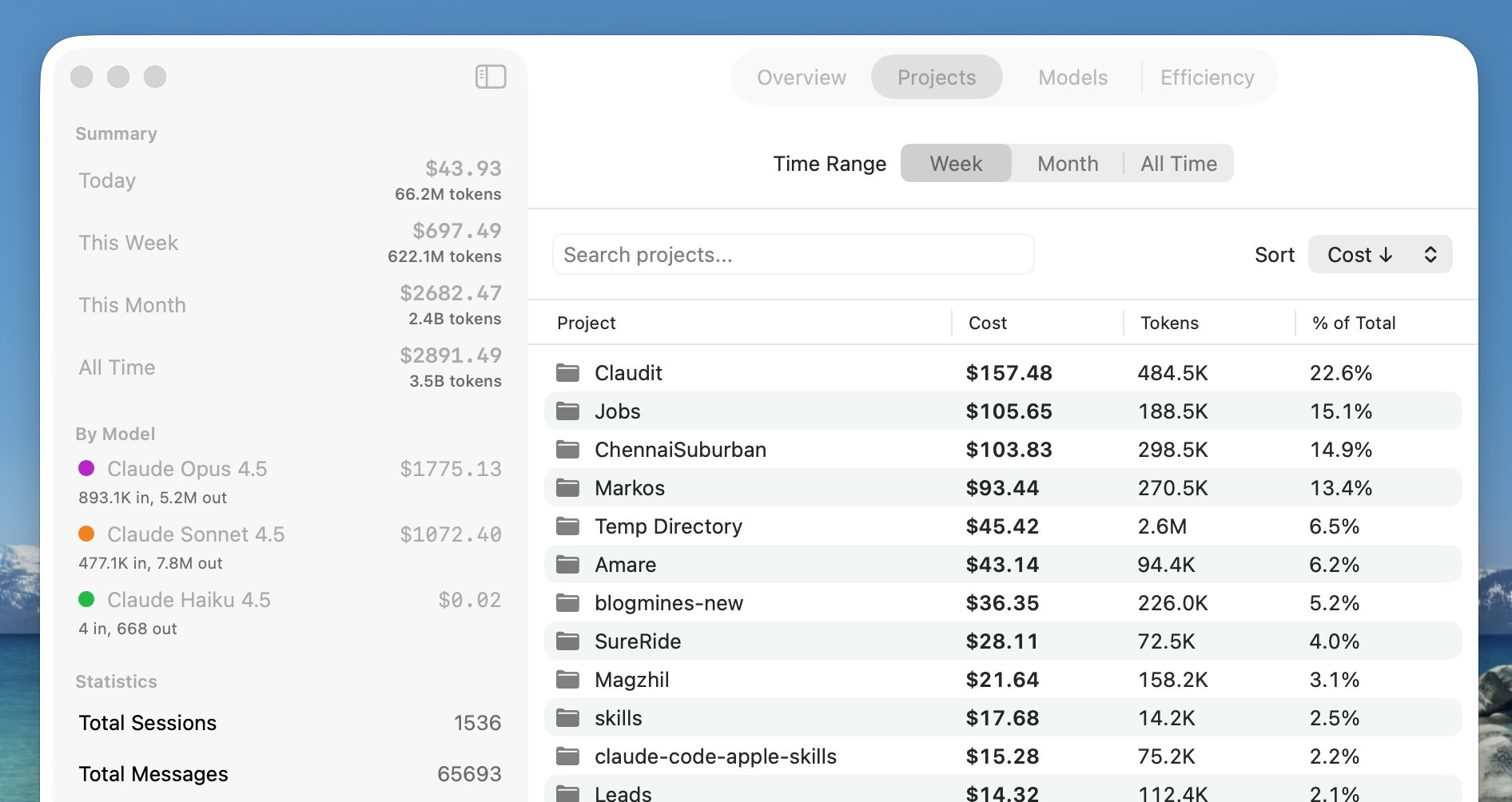
- Instantly identify your most expensive projects
- Filter by time range (Week, Month, All Time)
- Search and sort to find specific projects
- See percentage of total spending per project
- Discover expensive projects you didn’t know about
Never Hit Your Quota Unexpectedly
- Live tracking for session (5-hour) and weekly limits
- Separate monitoring for Sonnet and Opus quotas
- Color-coded warnings (Green/Yellow/Red)
- Countdown to quota reset times
- Pacing alerts when you’re on track to hit limits
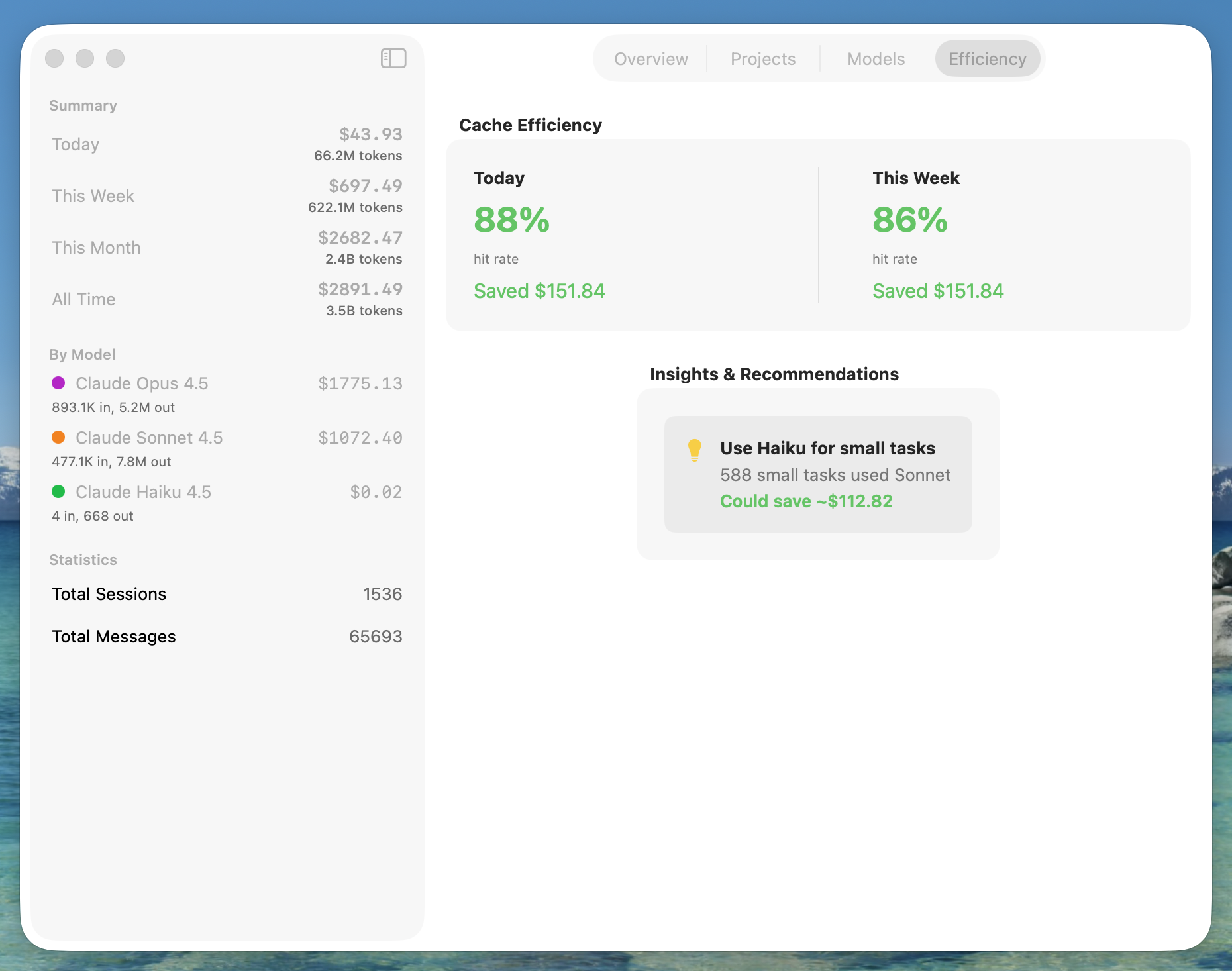
Understand Your Cache Savings
- See how much you’ve saved by caching
- Track cache hit rates over time
- Compare today vs weekly efficiency
- Make informed decisions about caching strategies
Beautiful Dashboard Analytics
- 4 organized tabs: Overview, Projects, Models, Efficiency
- Daily cost chart to spot spending trends
- Model distribution visualization
- Smart recommendations to optimize costs
Export Your Data Anytime
- Export daily usage to CSV
- Export project costs to CSV
- Export summary reports
- Your data, your control
App Experience
Menu Bar Quick View
Dashboard Overview
Projects Tab
Models Tab
Efficiency Tab
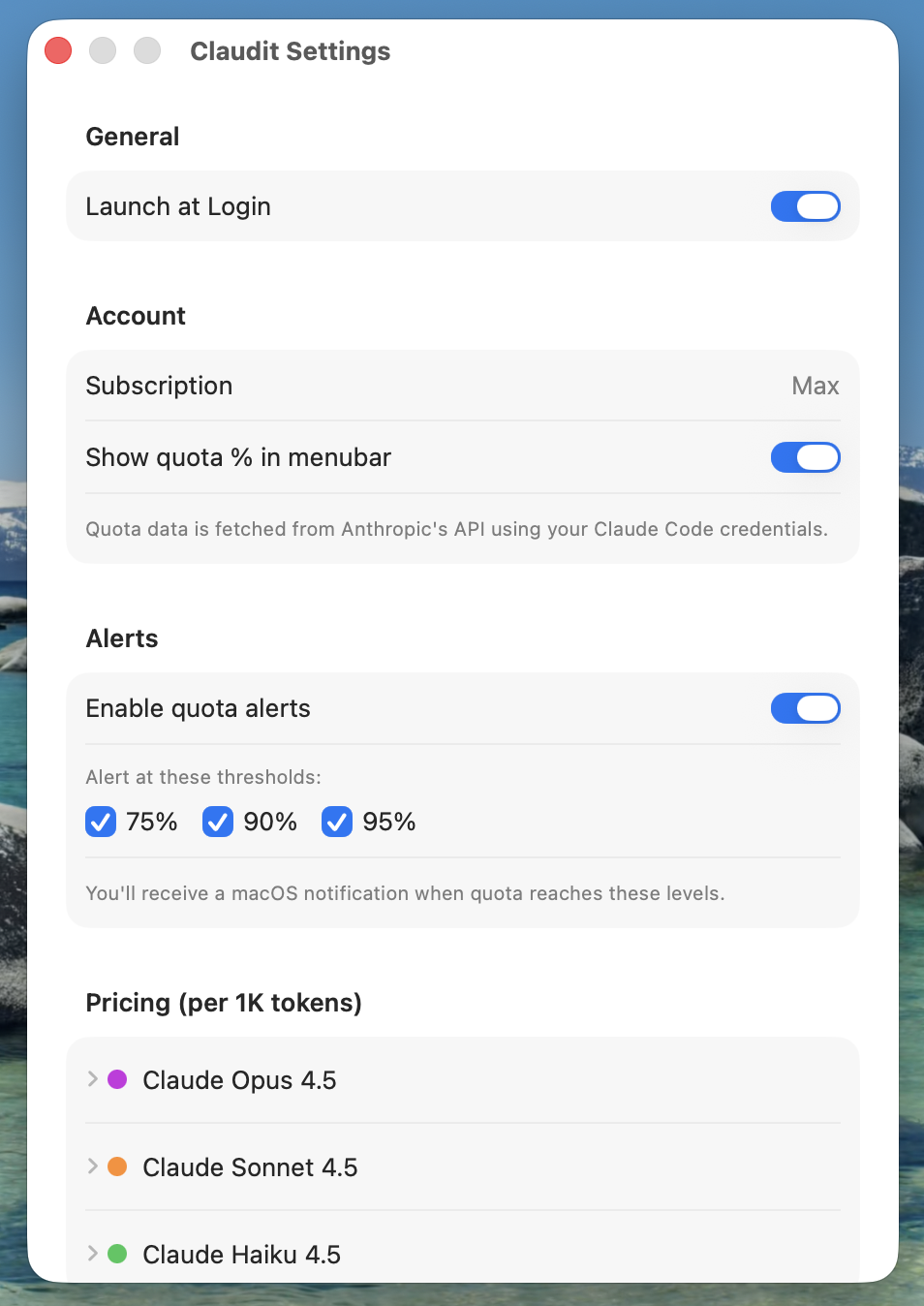
Settings
Perfect For
AI-Assisted Developers If you use Claude Code regularly for development, Claudit helps you understand and optimize your API spending without manual tracking.
Freelancers & Agencies Track AI development costs per project to accurately bill clients or stay within project budgets.
Budget-Conscious Teams Monitor costs in real-time across all team projects to ensure you stay within your AI development budget.
Power Users Optimize your Claude Code usage by identifying expensive patterns, leveraging cache efficiency, and making informed model choices.
100% Private by Design
Your data belongs to you and stays on your Mac.
- All Local: Everything stored only on your Mac—nothing in the cloud
- No Telemetry: No usage tracking, analytics, or data collection
- No Accounts: No sign-up required, no cloud sync
- Secure: Optional credentials stored in macOS Keychain
- Full Control: Export your data anytime, delete anytime
- Transparent: See exactly what data Claudit accesses in Settings
Easy Setup
- Download and drag to Applications
- Launch Claudit
- Allow Keychain access when prompted (one-time)
- Start tracking your Claude Code costs
Claudit automatically detects your Claude Code usage—no configuration required.
Download
Distributed directly—no App Store restrictions. Download, drag to Applications, and start tracking your Claude Code costs immediately.
Requirements: macOS 14.0 (Sonoma) or later, Claude Code installed
Open Source
Claudit is open source under the MIT License. View the source code, report issues, or contribute on GitHub.
View on GitHub → Download from Releases →
Support
Have questions or feedback? I’d love to hear from you.
Contact: ravi@rshankar.com
Legal
Track smarter. Code faster. Know your costs.