
How to check the OS version of your iPad
iPad allows users to check the version of OS installed using the settings menu. This would be useful when you are troubleshooting some problems in your iPad. To check the OS version
1. In the home screen, tap the settings menu.
2. In the settings screen, navigate to General settings.
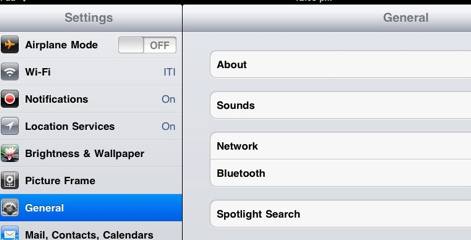
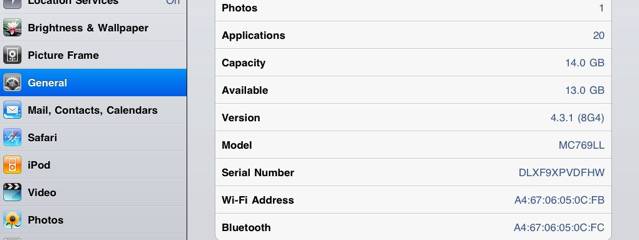
3. In the General Settings screen, tap the about the option and then navigate to version. This would display the version of OS installed on your iPad.

Need iOS Help?
I help developers and founders with:
- New apps — idea to App Store
- Bug fixes, debugging & rescue
- App Store rejections
- Code review & mentoring
10+ years iOS • 10+ published apps • 11,000+ students trained