
How to request a refund for apps in App Store
Apple provides users with the option to get a refund for app. Here are the steps for submitting a refund request.
- Launch reportaproblem.apple.com and login using your Apple ID.
- In “What can we help you with” drop down select the option as “Request a refund”.
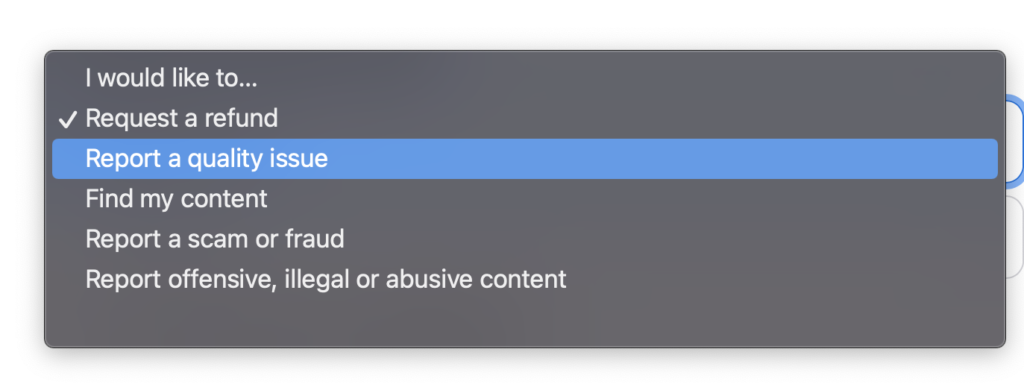
- In “Tell us more” drop down select the reason why you need a refund.
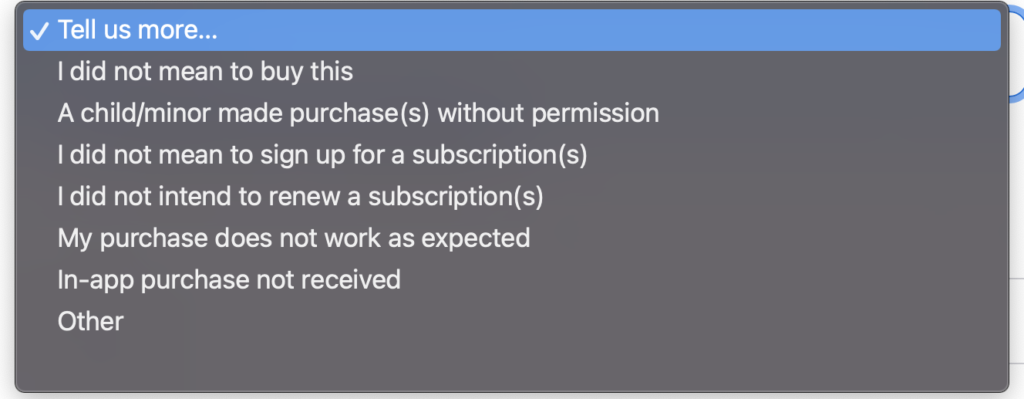
-
Then select the app for which you need a refund and click on the Submit button.
-
You will receive a email once your request has been processed. Use the “Check status of claim” to find out whether you have request has been approved.
Need iOS Help?
I help developers and founders with:
- New apps — idea to App Store
- Bug fixes, debugging & rescue
- App Store rejections
- Code review & mentoring
10+ years iOS • 10+ published apps • 11,000+ students trained