
Create new Test Target in Xcode
Listed below are the steps to add test target for an existing iOS Projects (iOS 6.0 and older).
Click File menu -> New and Select Target from the menu list.
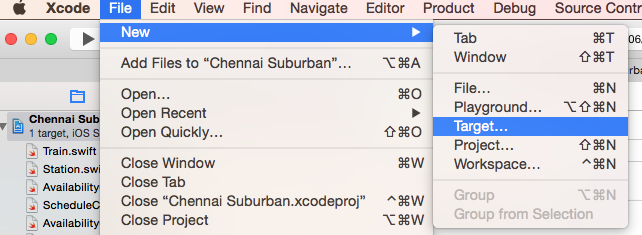
Then select Cocoa Touch Testing Bundle under iOS -> Other template section.

Enter product name for the new target and other details and click FInish.
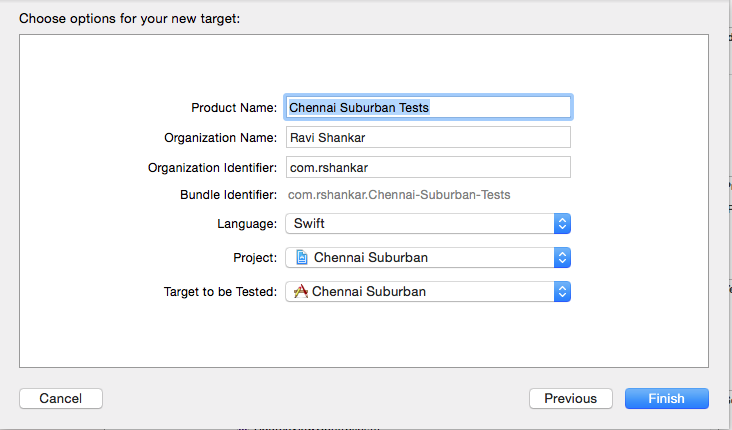
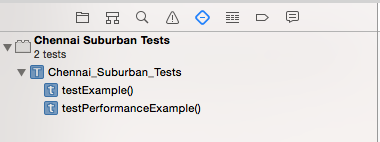
Now you should be able to see the newly added test target under Project Navigator and Test Navigator.
Need iOS Help?
I help developers and founders with:
- New apps — idea to App Store
- Bug fixes, debugging & rescue
- App Store rejections
- Code review & mentoring
10+ years iOS • 10+ published apps • 11,000+ students trained